01
Broadcast Campaigns
Launch segmented WhatsApp campaigns with cleaner audience selection, schedule control, and send visibility.
WhatsApp business automation
Launch WhatsApp broadcasts, manage approved templates, and keep response ownership clear with a workspace built for day-to-day execution.
Key Features
Aarohan WABiz brings campaign sends, approved messaging, team replies, and follow-up discipline into one daily operating layer.

Launch segmented WhatsApp campaigns with cleaner audience selection, schedule control, and send visibility.
Manage reusable message templates for reminders, offers, updates, and lead nurture without copy chaos.
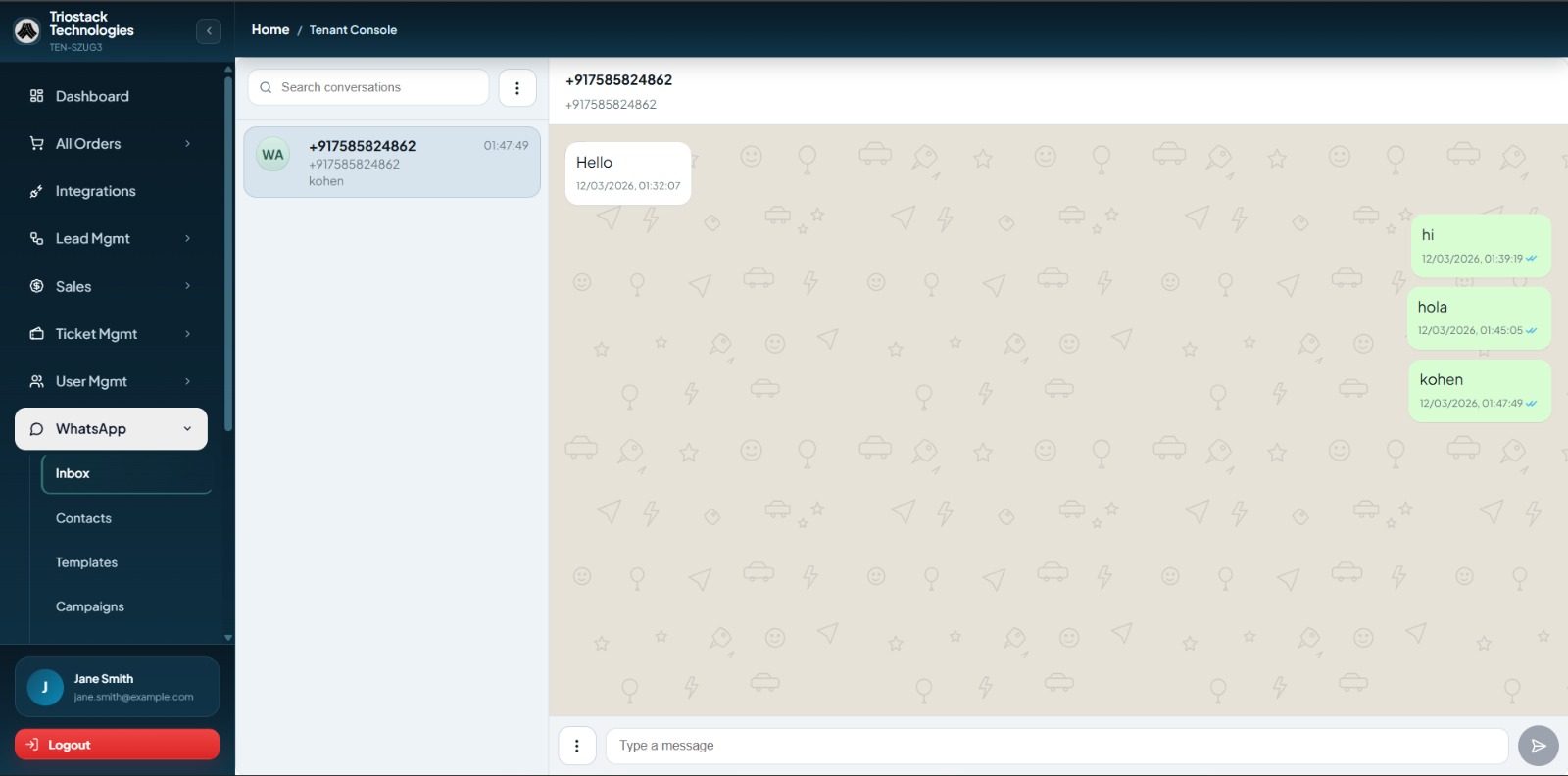
Keep inbound replies visible to the right agents so customers do not get lost between handoffs.
Assign conversations by campaign, product, geography, or team ownership rules as replies arrive.
Move prospects through reminder sequences, re-engagement flows, and structured follow-up paths automatically.
Organize customer groups by behavior, lifecycle stage, or campaign logic before every send.
Share product updates, payment nudges, and promotional messaging through one cleaner WhatsApp workflow.
Track sends, reply volume, follow-up outcomes, and operational response speed in one reporting layer.
WABiz Workflow
Aarohan WABiz helps teams move from outbound campaigns to inbound replies and conversion actions without losing structure.

Prepare the right customer segment before each send so campaigns stay relevant and cleaner to manage.

Launch approved WhatsApp campaigns with better message structure, schedule control, and template discipline.

Route inbound responses to the right team so customer momentum is not lost after a message lands.

Turn campaigns and conversations into appointments, payments, or sales actions through one consistent flow.

Keep campaign content compliant and reusable before it reaches customers.

Make response ownership clear when conversations need a human handoff.

Automate follow-up timing across reminders, renewals, payments, and re-engagement.

Keep audience history and messaging eligibility visible before every outbound send.

Review message activity, reply volume, and campaign outcomes without fragmented tracking.

Continue customer communication after the first conversion with cleaner lifecycle messaging.
Automation Features
This layer is built for teams that want quicker sends, cleaner reply handling, and more dependable follow-up timing.


Queue campaign sends by date, time, and audience so message delivery follows a clearer outbound calendar.
Planned sends
Assign inbound conversations automatically by campaign, topic, or internal team ownership before queues get messy.
Faster response
Automate nudges for payments, renewals, appointments, and re-engagement without rebuilding every flow manually.
Steady cadence
Move prospects through structured WhatsApp follow-up paths based on stage, interest, or non-response behavior.
Less manual chasing
Apply tags to replies and customer states so teams can prioritize follow-ups and reporting more easily.
Cleaner visibility
Spot stalled campaigns or silent customer threads and trigger next-step reminders before momentum drops.
No dead thread
WABiz Integrations
Aarohan WABiz sits between campaigns, inbound replies, and customer actions so teams can work from one operational view.

Run approved messages, replies, and campaign logic from the core channel WABiz is built around.

Bring ad-driven leads and campaign traffic into the same WhatsApp execution layer.

Connect search demand, form capture, and campaign responses to WhatsApp workflows.

Capture web enquiries and move them into WhatsApp response flows without delay.

Sync WhatsApp conversations with lead records, owner data, and follow-up history.

Support payment reminders, confirmations, and collections within WhatsApp-led customer journeys.
Run approved messages, replies, and campaign logic from the core channel WABiz is built around.
Bring ad-driven leads and campaign traffic into the same WhatsApp execution layer.
Connect search demand, form capture, and campaign responses to WhatsApp workflows.
Capture web enquiries and move them into WhatsApp response flows without delay.
Sync WhatsApp conversations with lead records, owner data, and follow-up history.
Support payment reminders, confirmations, and collections within WhatsApp-led customer journeys.
Built For Real WhatsApp Operations
From Meta and Google demand to website capture, CRM visibility, and payment workflows, WABiz stays connected to how teams actually use WhatsApp in daily operations.
Pricing
1. Quarterly is the base plan. Semi-Annual and Annual reduce the effective monthly price for longer billing cycles.
2. Onboarding and campaign setup can be tailored for larger WABiz rollouts.
CTA
Start with a WABiz setup your team can adopt quickly, then manage campaigns, templates, and replies through one reliable workflow.

Campaigns
Structured WhatsApp sends for your team.
Replies
Cleaner inbox ownership from first response.
Visibility
Clear message workflow from day one.
FAQ
Practical answers for teams evaluating broadcast workflows, reply handling, integrations, and rollout fit.
Most teams can start with template planning, broadcasts, and a shared reply workflow in a short rollout cycle. The timeline depends on your messaging structure, routing rules, and integrations.
Yes. WABiz is built to support both outbound campaign execution and inbound reply handling so teams can work from one operating flow.
Yes. Teams can manage template-led campaigns, reminders, and follow-up journeys with better structure and operational visibility.
Yes. It can connect WhatsApp workflows with website capture, CRM systems, Meta, Google, payment processes, and other API-driven operations.
Yes. For bigger teams, custom routing, deeper integrations, or more advanced onboarding needs, pricing and rollout support can be shaped around your setup.